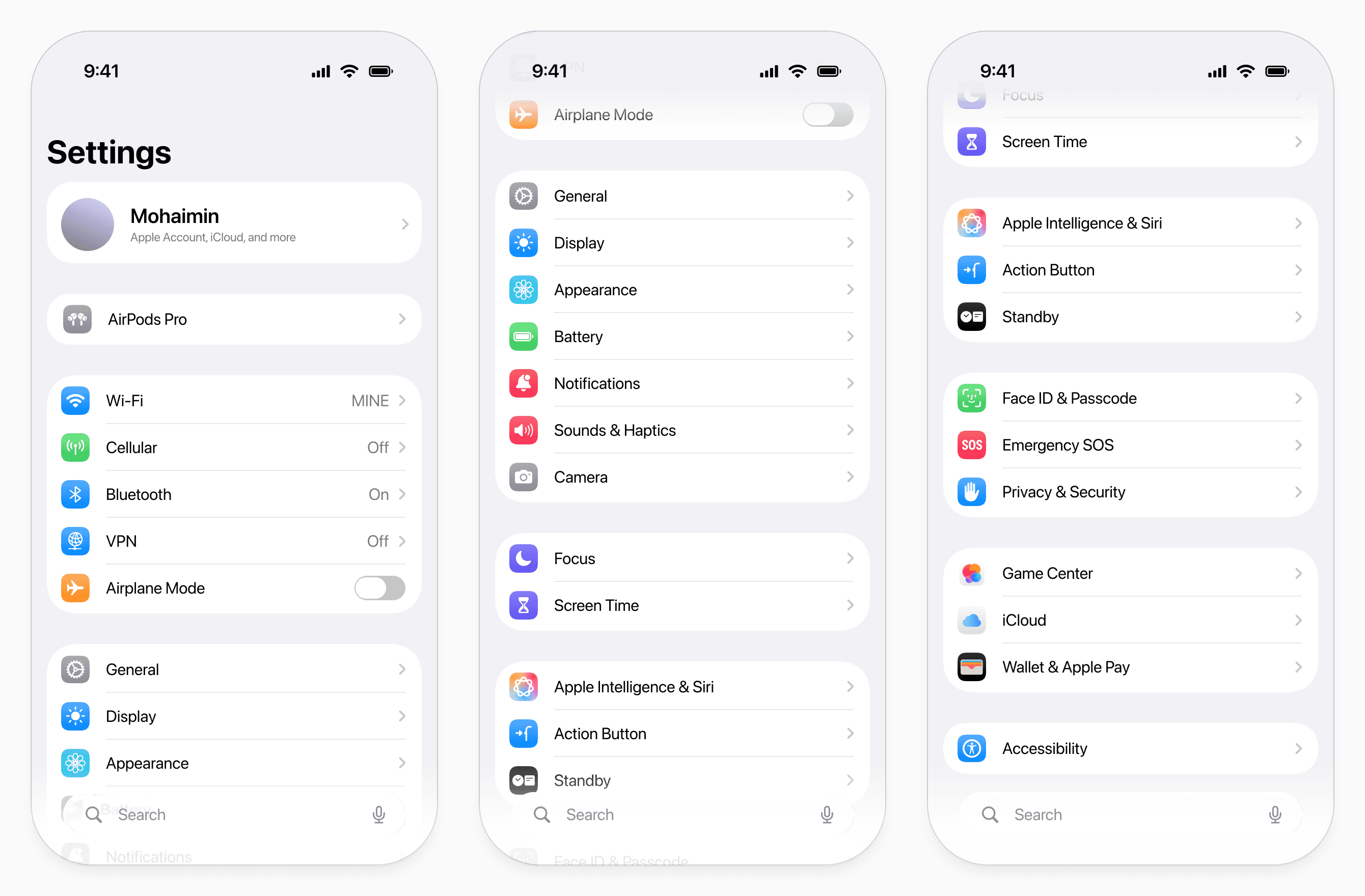
The new iOS settings app
Context
The iOS Settings app is one of the most frequently used system interfaces in the world, serving over a billion active iPhone users globally. It acts as the control center for device behavior, and as such, its information architecture directly affects how efficiently a fifth of the world can manage their devices.
Over time, as iOS has expanded, the Settings app has accumulated layers of options, nested pages, and secondary screens. Many settings live several levels deep, similar options are distributed across different groups, and some flows introduce additional pages for simple choices.
This project focuses purely on reorganising the information architecture — redefining grouping, reducing unnecessary hierarchy, consolidating options, and eliminating avoidable layers — without altering the visual design language.
Problem
These are best practices for layout from Apple's Human Interface Guidelines (HIG):
"Group related items to help people find the information they want."
"Place items to convey their relative importance… so it generally works well to place the most important items near the top and leading side of the window"
"Make essential information easy to find by giving it sufficient space. You can make secondary information available in other parts of the window, or include it in an additional view."
Any app, especially one of Apple's first-party apps, can and should be expected to meet them. My challenge was to redesign the information architecture of the iOS app so that it would meet these guidelines.
Approach
I began with a structural audit of the settings homepage, mapping out misplaced groups, overlapping categories, and areas where hierarchy didn’t reflect real usage. The focus was simple: fix the structure without changing the visual design.
First, I worked on grouping and hierarchy. I moved settings into more logical sections, merged groups that covered similar themes, and removed categories that could be combined. Where controls were split across multiple areas, I brought them together. I then reordered the page based on frequency and dependency — placing commonly used settings higher, and secondary features after.
Next, I reduced depth and clutter. I removed unnecessary subpages for simple choices and replaced them with lightweight pop-ups where appropriate. I also hid long descriptions behind an information icon, so details were available when needed but no longer crowded the main screen.
The carousel below walks through the homepage changes step by step, showing how grouping and hierarchy were reworked in practice.
Under that, a before-and-after comparison highlights the reduction in cognitive load, showing how small structural changes create a cleaner and calmer experience.
Solution
A restructured Settings experience built on clearer grouping, stronger hierarchy, and reduced depth, without changing the visual language of iOS.
In total, I redesigned nine core screens: the Settings Homepage, Wi-Fi, Cellular, Display, Appearance, Notifications, Sound & Haptics, System, and Device. Each page was reorganized to align related controls, simplify navigation, and reduce unnecessary layers.
One of the most significant changes was the consolidation of fragmented display-related areas. Five separate pages (Control Center, Display & Brightness, Home Screen & App Library, Search, and Wallpaper) were condensed and re-architected into two focused pages: Display and Appearance. This removed overlap, eliminated duplication, and created clearer mental models around functional display controls versus visual customization.
You can view each of the redesigned pages below. Please feel free to compare it to the current design of the Settings app on your phone to see how you feel about the new information layout.
Settings Homepage
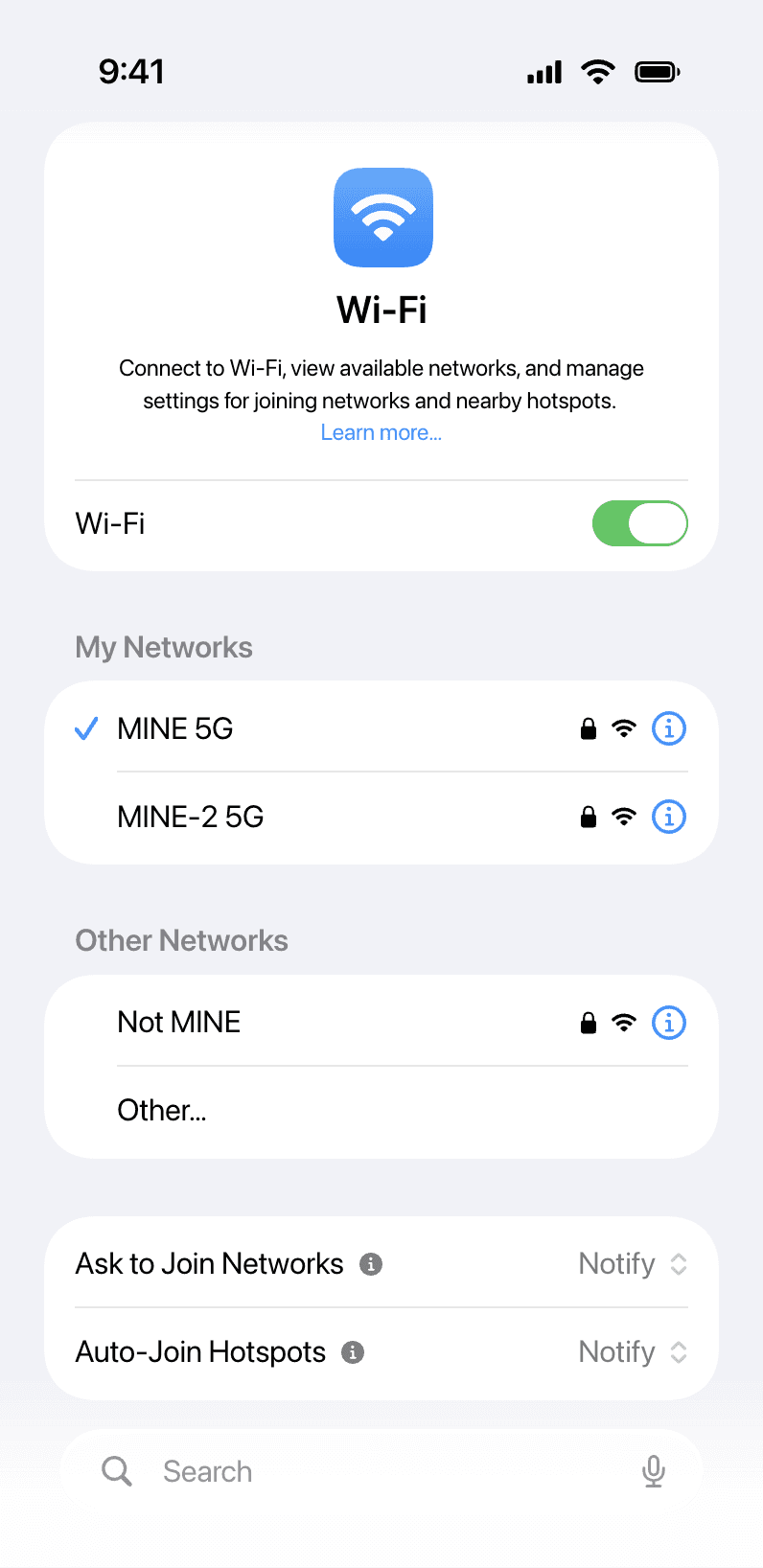
Wi-Fi
Cellular
Display
Appearance
Notifications
Sound & Haptics
System Settings
About Device